
FROM CHOOSING TO GUIDANCE
A station in sight.
A route ahead.
Fillzz’s integrated GPS navigation connects your station choice to the journey there. Review the route, distance and estimated duration, then start guidance from the app.
Download FillzzApp available on iOS and Android.
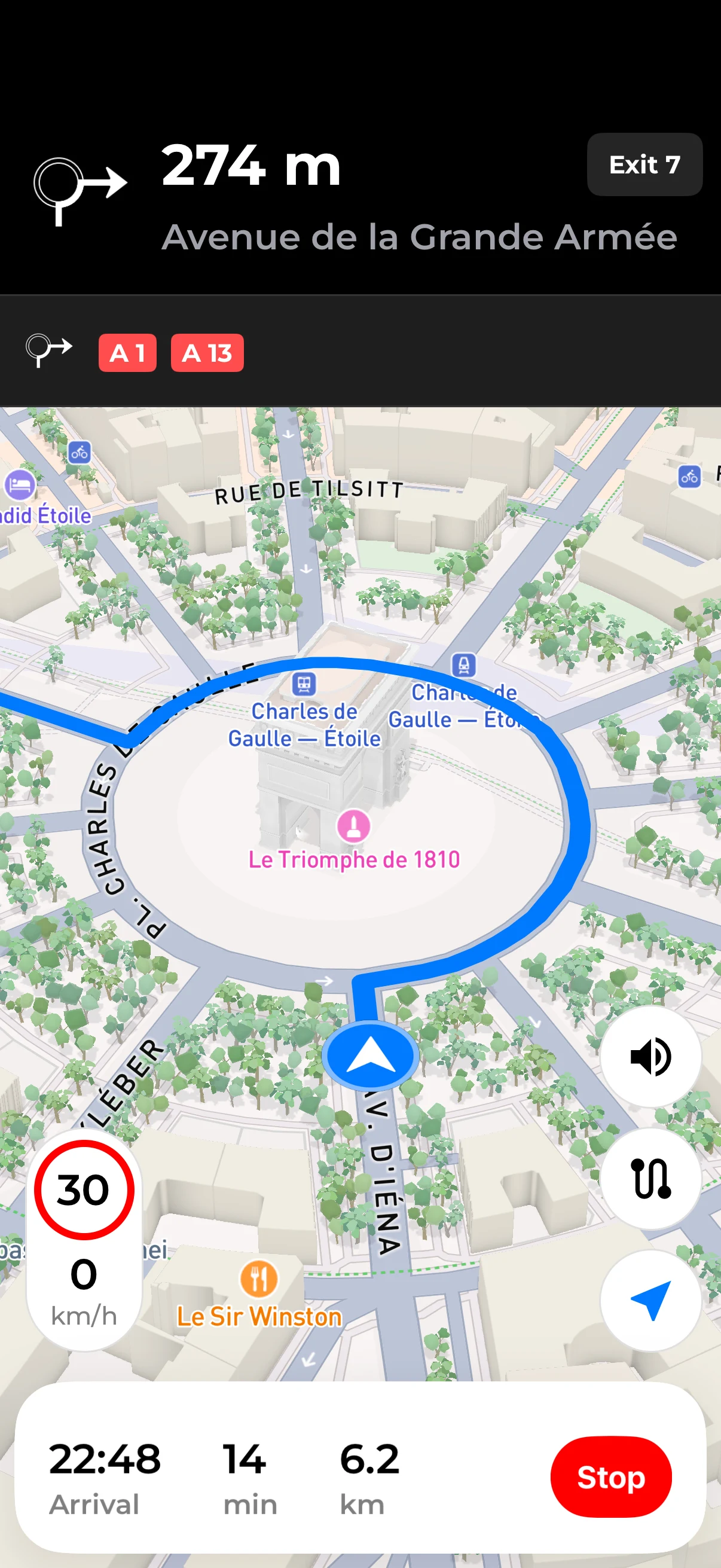
IN PRACTICE
Choose your stop
Open the station you are considering. Check its fuels, opening hours where provided and position relative to your journey. Price alone is not enough to choose a stop.
Review the proposed route
Check distance and estimated time before starting. Navigation settings also let you choose an external navigation app from the compatible options installed on your phone.
Start guidance to the station
Launch navigation once you have made your choice. Follow directions on your phone, or use the in-car experience with Fillzz Premium and compatible CarPlay or Android Auto equipment.
From station details to the road
Your selected station supplies the destination for the route. You avoid having to type its address again after comparing prices. The route preview helps you check whether this stop fits the journey you have planned.
Distance and time tell different parts of the story
A nearby station is not always the quickest to reach. Road access can require a detour. Consider estimated duration alongside kilometres, especially if you have an appointment or a scheduled stop. These figures remain estimates.
Include tolls in your decision
Fillzz Premium lets you view toll costs when an estimate is available for the route. That figure adds context when comparing journeys. A missing estimate does not establish that a road is toll-free; check the proposed route.
From your phone to the car display
CarPlay and Android Auto are included in Fillzz Premium. They require a phone and a vehicle or head unit compatible with the chosen platform. Prepare your account, permissions and destination on your phone before driving.
Prepare and change your route while safely parked. Navigation estimates and map information can vary; always follow local road signs.
ON YOUR JOURNEYS
Fit a fill-up into a journey you already plan to make.
On your way home from work, two stations have similar prices. One lies in your direction; the other means doubling back. Review the routes before choosing: extra time and kilometres can matter more than a few cents per litre. This check is particularly useful for a small top-up.
Plan a fuel stopFrequently asked questions
Using navigation.
Do I need to copy the address into a GPS app?
No. Start a route from the selected station in Fillzz. Integrated navigation uses that destination, and the settings also offer compatible external navigation apps installed on your phone.
Can I use my usual navigation app?
Fillzz’s navigation settings let you choose from compatible apps detected on your phone. Install and configure your preferred app first, then check the available options in Fillzz.
Does navigation guarantee the price or opening hours?
No. Guidance takes you towards a destination. Fillzz refreshes data every 10 minutes, but availability and freshness depend on data providers. Check the station details before leaving and the price at the pump.
Our dataHow do I use Fillzz on my car display?
Use CarPlay with an iPhone or Android Auto with a compatible Android phone. Both features are included in Fillzz Premium and require a compatible vehicle or head unit.
PricingFILLZZ · iOS & ANDROID
Your next fill-up starts here.
Compare, choose, hit the road. Find Fillzz on iOS and Android.